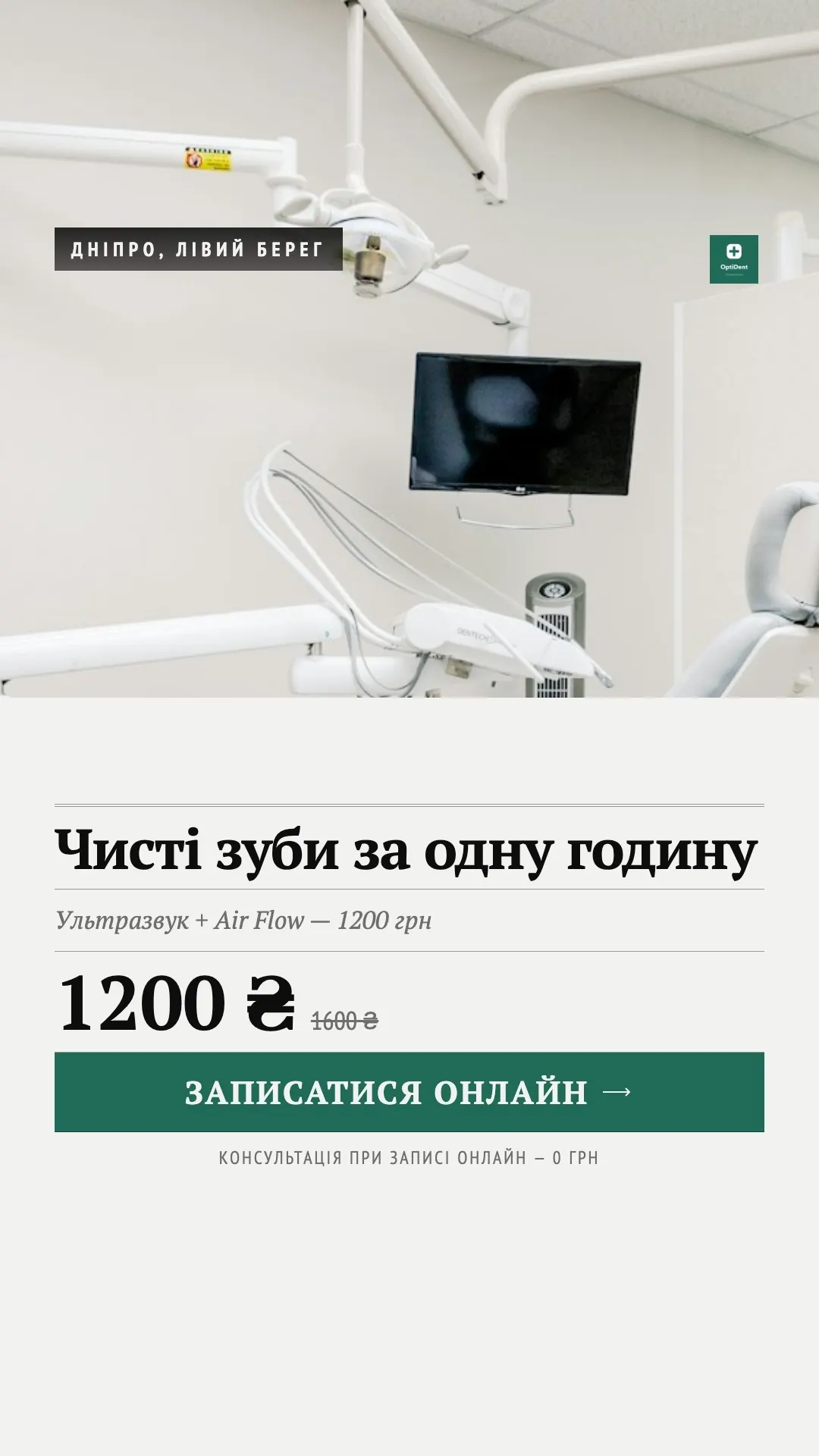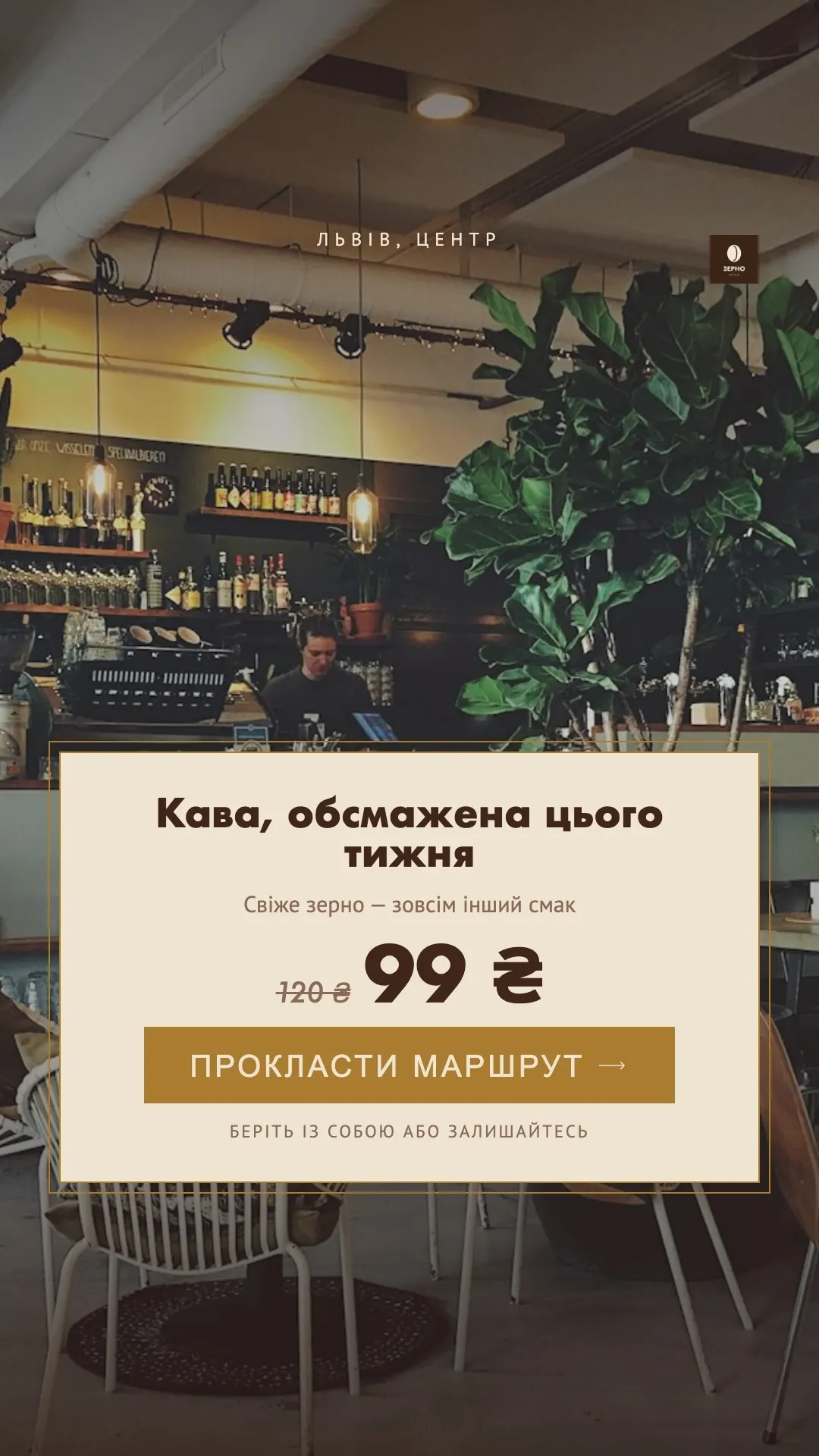
← All products

For media buyers and agencies that test creatives nonstop

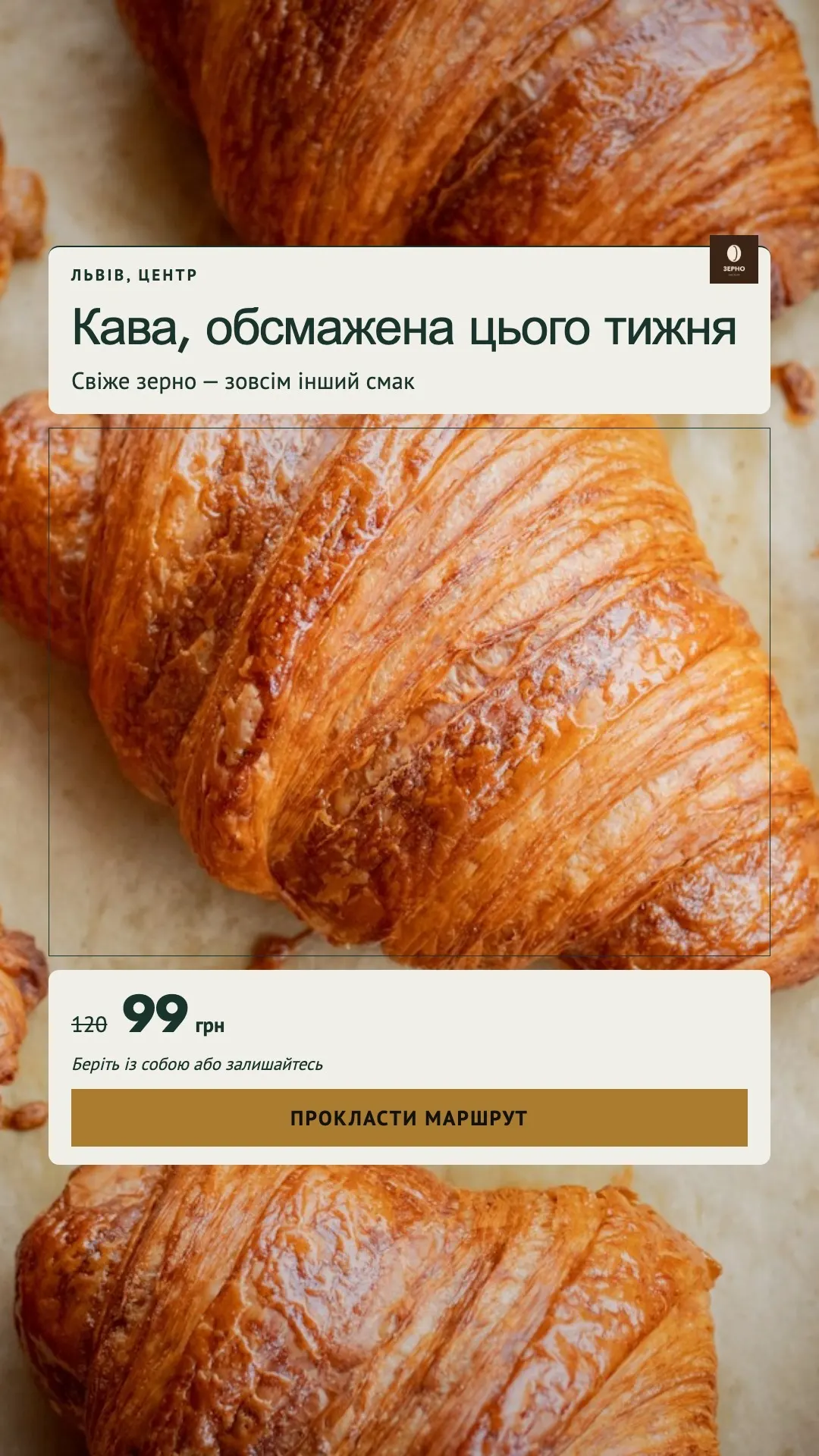
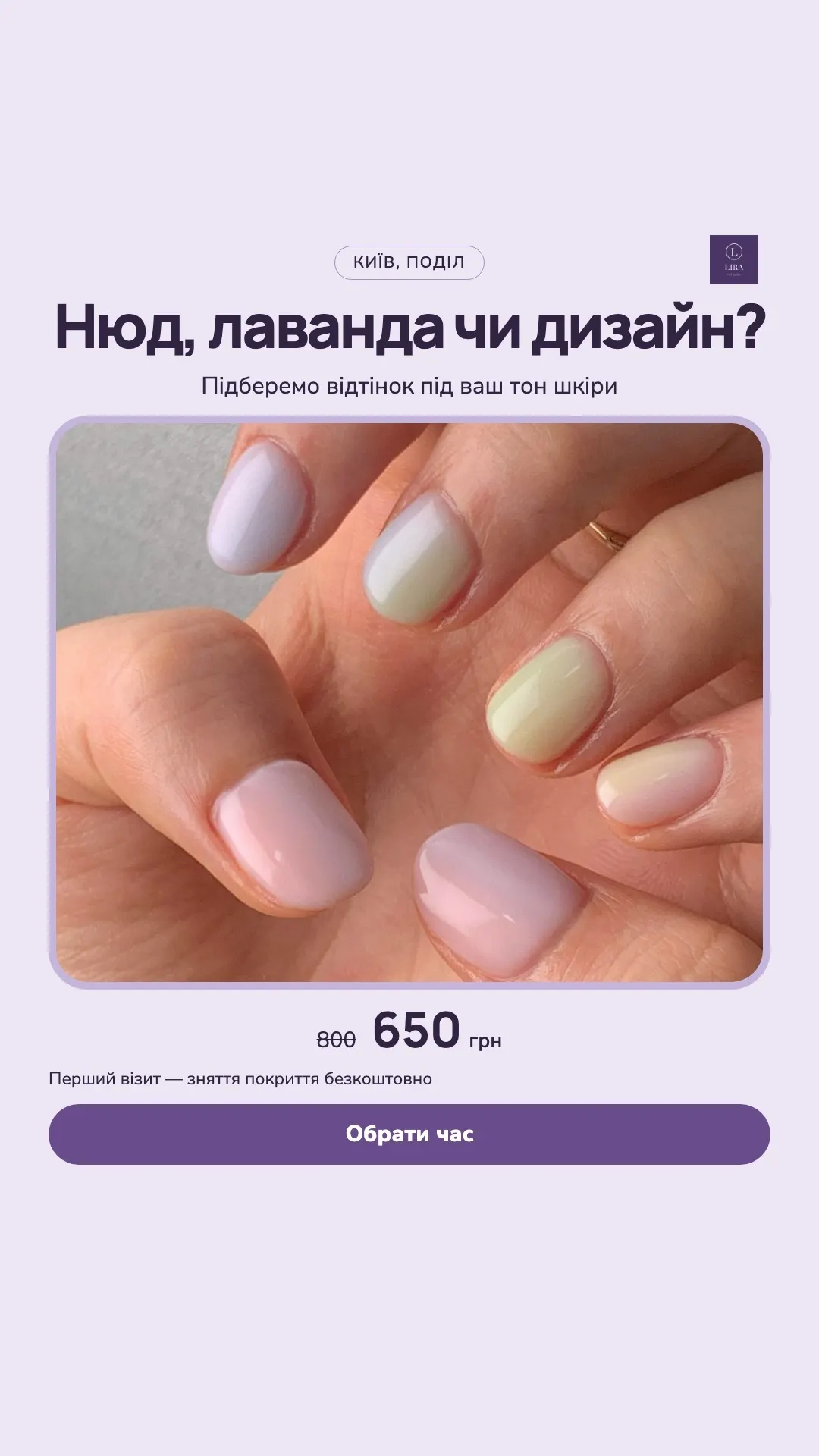
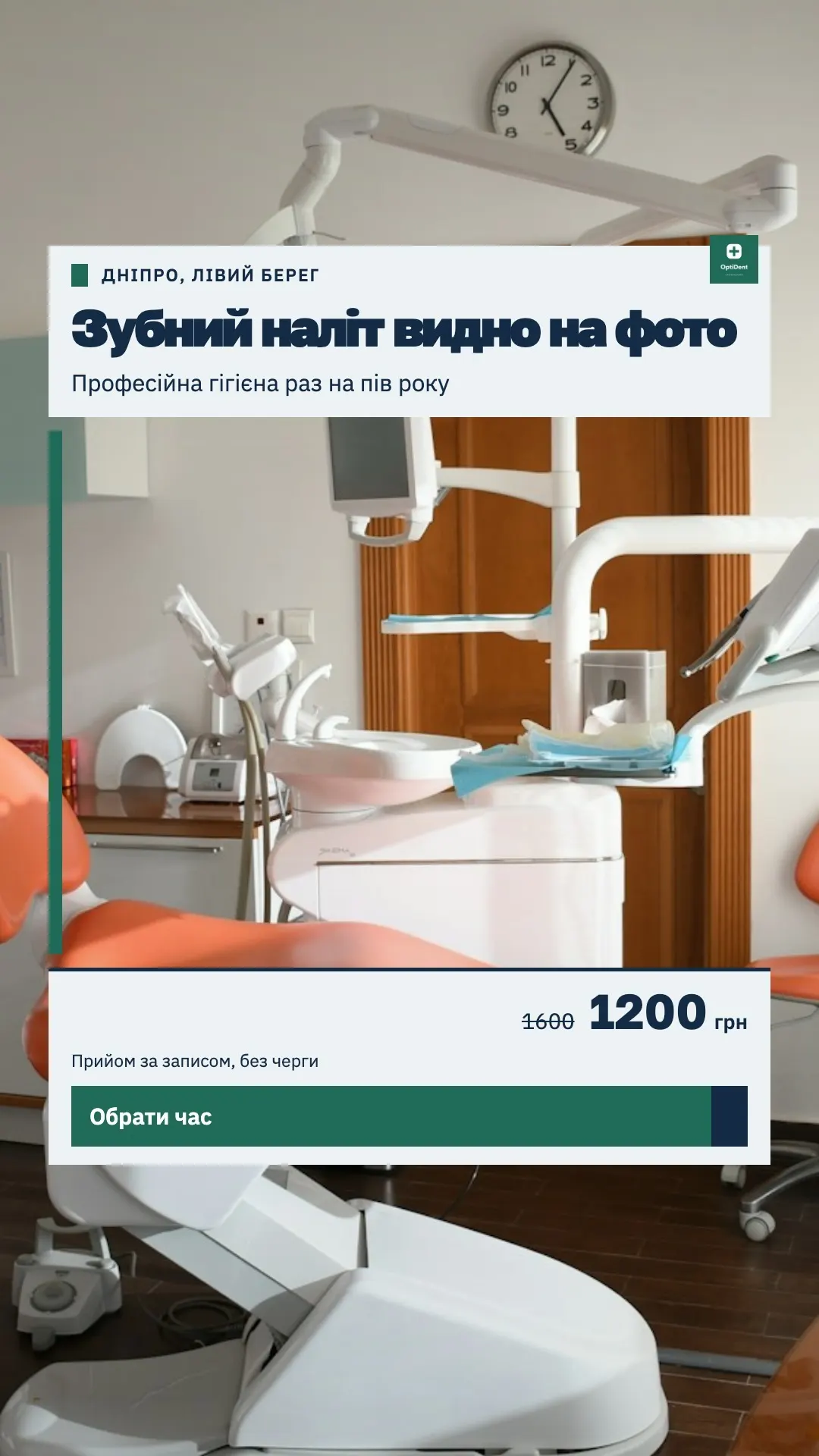
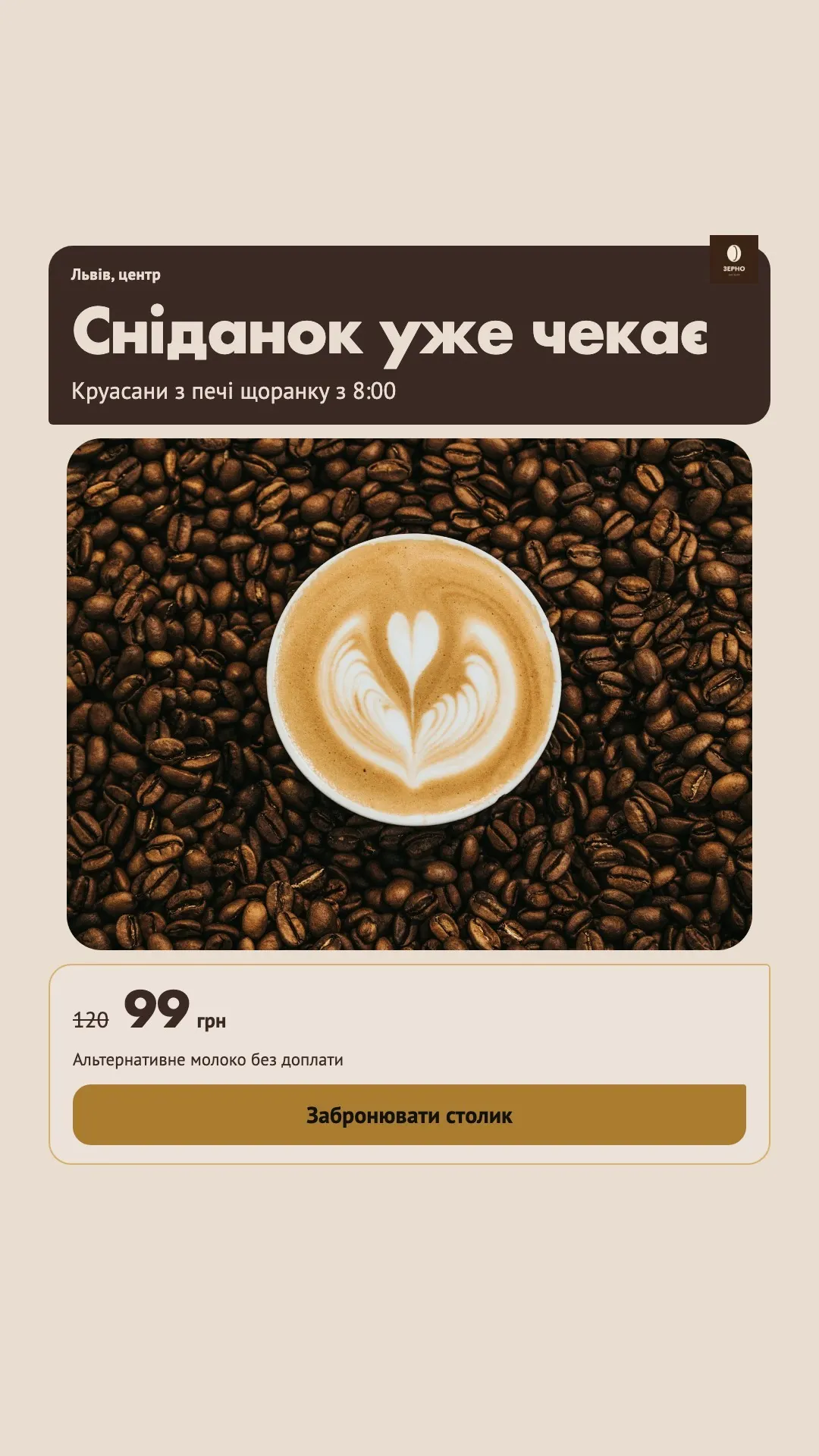
A batch of test creatives — from the client’s real photos

Pick the client’s footage, layouts and copy. Creo spreads the combinations, checks every card before rendering and outputs a batch of 1080×1920 JPGs and MP4s. Later it matches your Meta Ads report to each creative by its code.

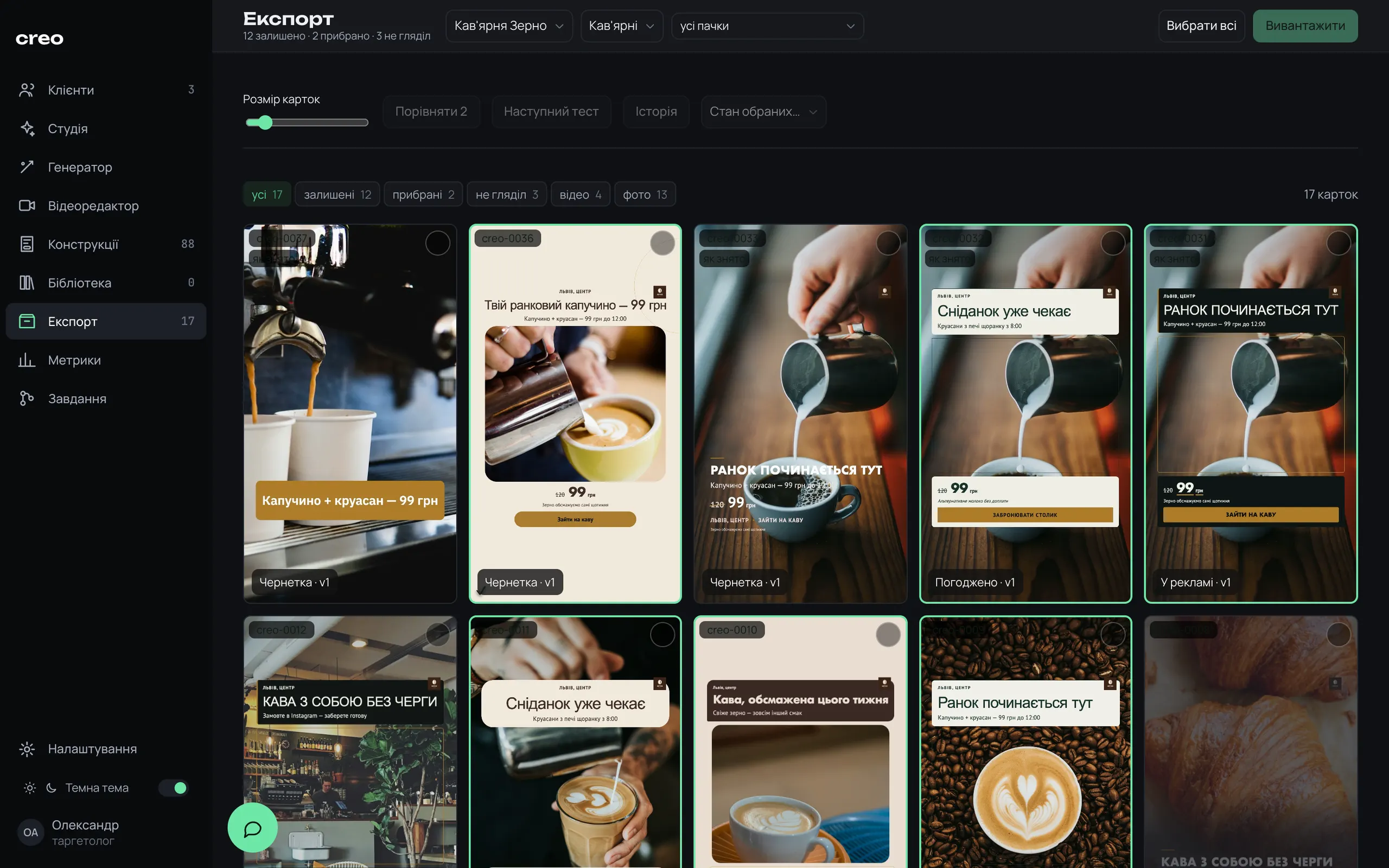
creo · export
Creo export board: coffee shop creatives with codes and Draft, Approved, Live statuses
88built-in layouts, 46 of them take video
9:16one 1080×1920 canvas: JPG for photos, MP4 for video
10copy slots, from location to CTA button
up to 60cards per batch

Sound familiar?

The client sent 40 photos, and the test has to go live today

Photos in Telegram, copy in your notes, last month’s price stuck in an old template. You build every variation by hand: photo, panel, headline, button. By creative number five you no longer remember which subheadline went under which headline.

Then the Ads Manager report: “Ad 3 — copy”, “2.0”. Good luck guessing which image is behind that row. Creative analysis turns into matching file names.

So I built a tool where creatives come out as a batch, and each one’s code makes it all the way to the report.

Telegram · client40 photos, “by tonight?”
Notesheadline + subhead together!
Template · Septemberold price on the panel
Reels previewheadline under the UI
Ads ManagerAd name: “3 — copy”
Spreadsheetwhich creative got the leads?
12One batch of coded creativesfrom the client’s photo to a row in the Meta report

How it works

From the client’s photo to a report on every creative

Each client’s footage, brand, copy and finished creatives live in one place. The generator walks you through four steps, and the heavy lifting — rendering, checks, the queue — runs in the background on your Mac.

  1. 01

    Client and brand

    Brief, the client’s photos and videos, and a brand kit: palette, font, logo, CTA, contacts and banned phrases.

  2. 02

    Footage and layouts

    Tick the photos and videos, pick layouts. The previews are already drawn on this client’s photo.

  3. 03

    Copy and preview

    Copy bundles, price, location, palette. The preview shows exactly what you’ll get and how many combinations are possible.

  4. 04

    Check and queue

    Every card is measured in Chrome before rendering. Errors block the launch, and the batch renders in the background.

  5. 05

    Pick and report

    Select the keepers in Export and download a ZIP. A week or two later, upload the Ads Manager report and it matches to creatives by code.

On a MacBook, a batch of 12 photo creatives is ready in about 4.4 min after queuing, with every card checked.

Brand and offers

Set the client’s brand once, not on every card

A brand kit holds the offer, a palette or custom accent, font family, a logo from the client’s files, CTA, address and contacts. The active kit feeds every batch: empty button, location and headline fields are filled from it.

  • Banned phrases from the kit and the brief are checked in every line of copy
  • Prices and services are set per service line, so the wrong price never lands on a creative
  • The logo goes in as a small badge in the top-right corner
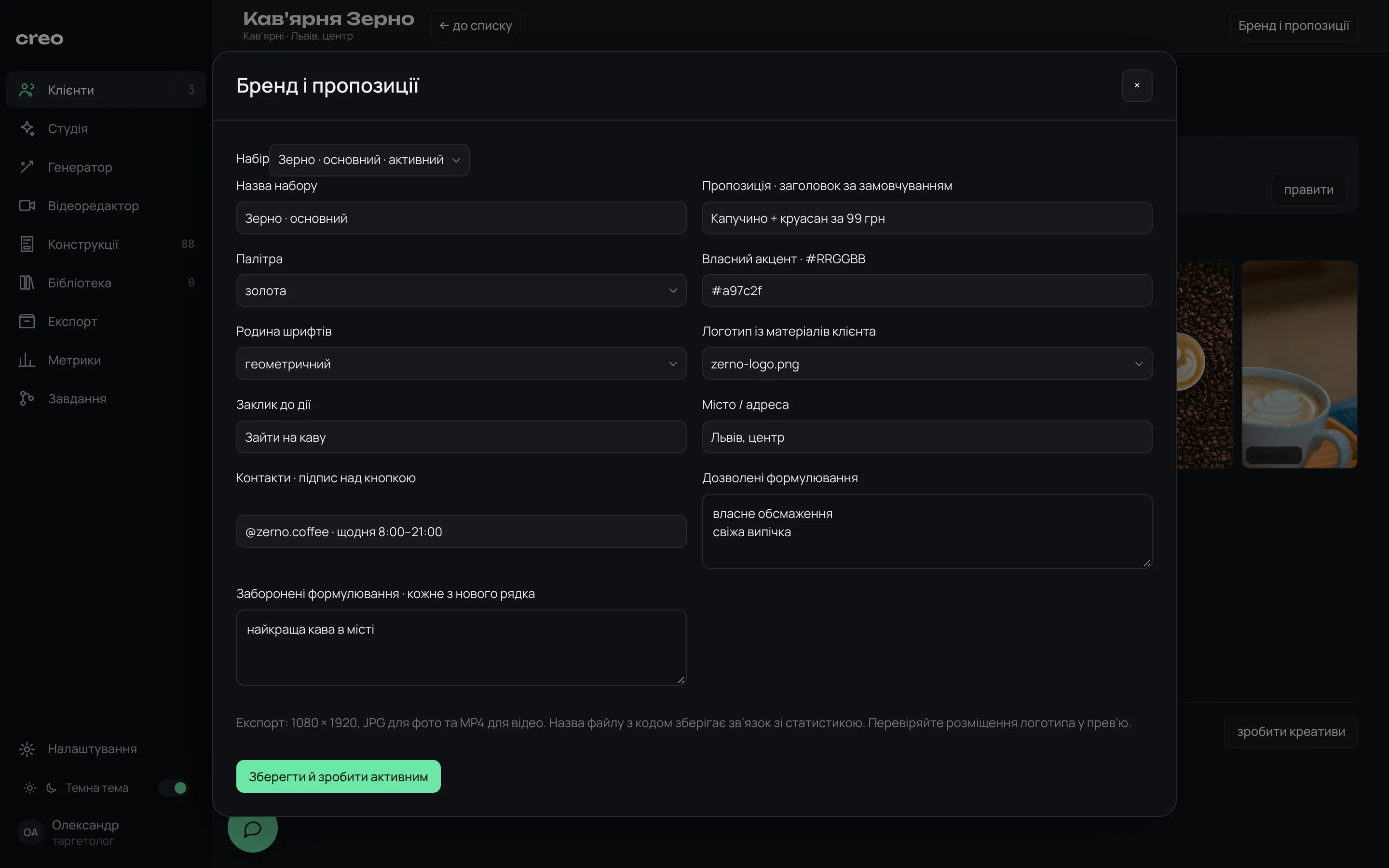
creo · brand and offers
“Brand and offers” dialog: offer, palette, accent, font, logo, CTA, contacts, banned phrases

Layouts

88 layouts, each one previewed on this client’s photo

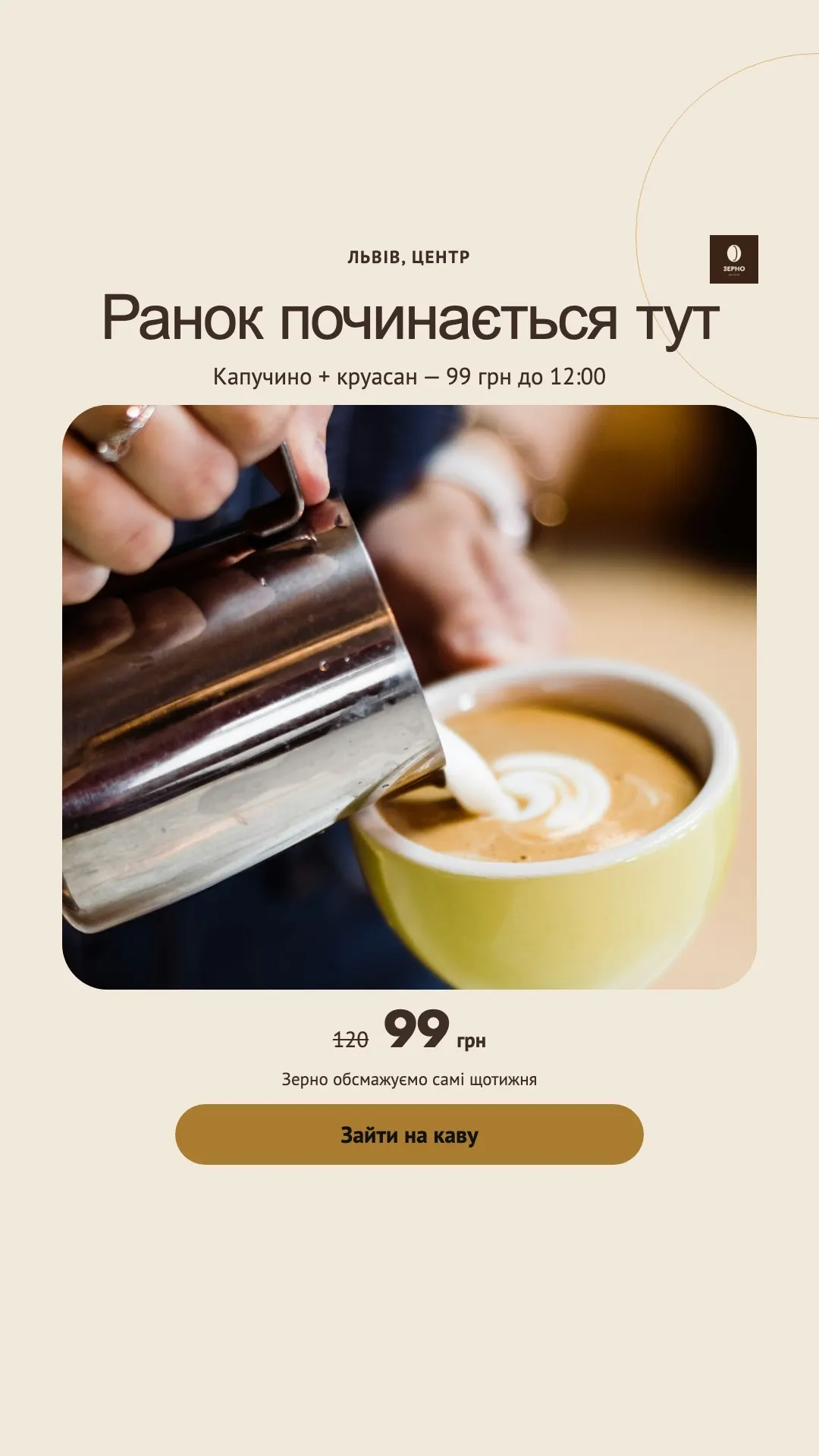
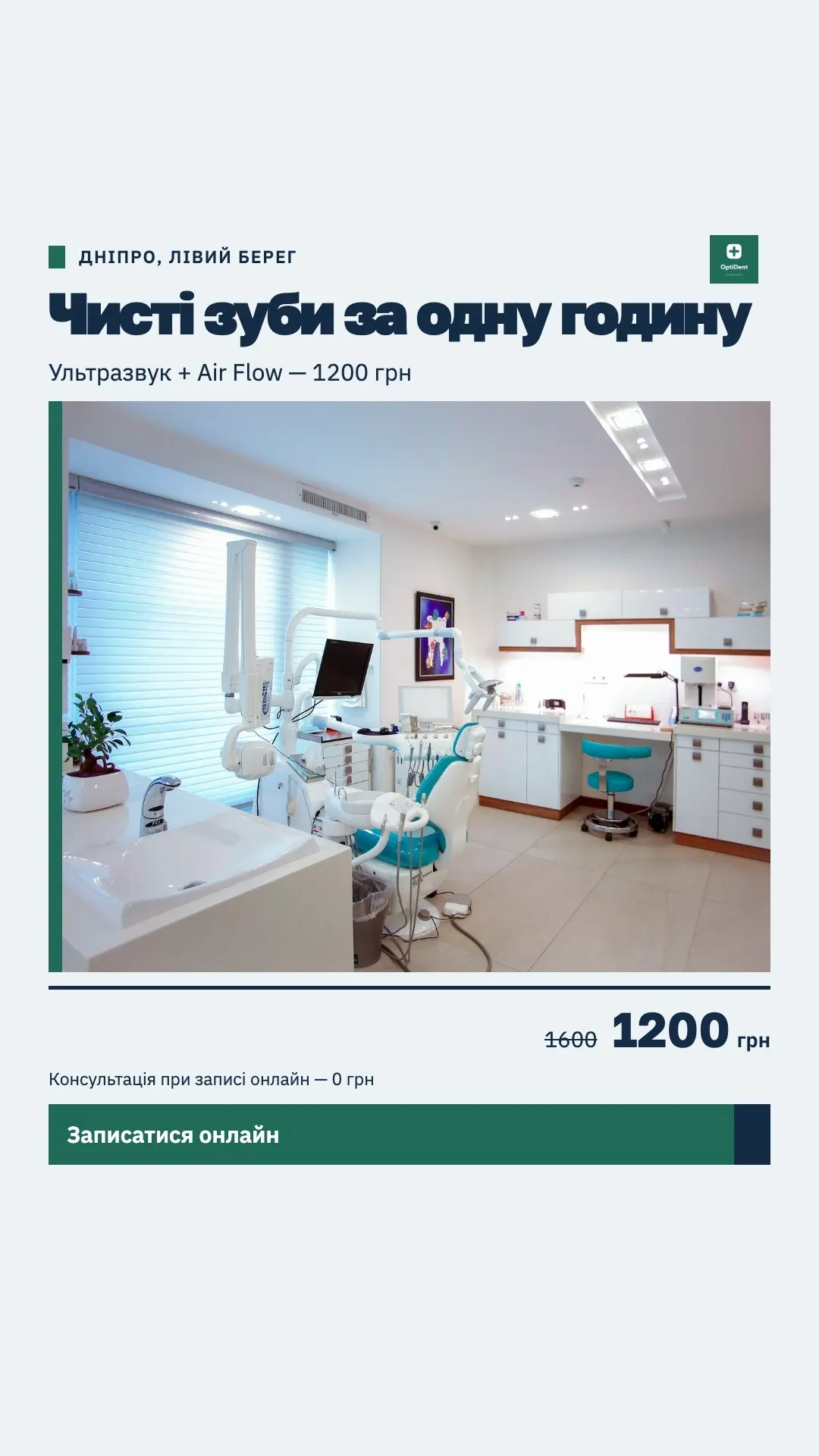
A Creo creative is the client’s photo plus graphics on top: panels, headline, price, button. Every layout is previewed on the client’s own footage, so you choose from real results, not an abstract mockup.

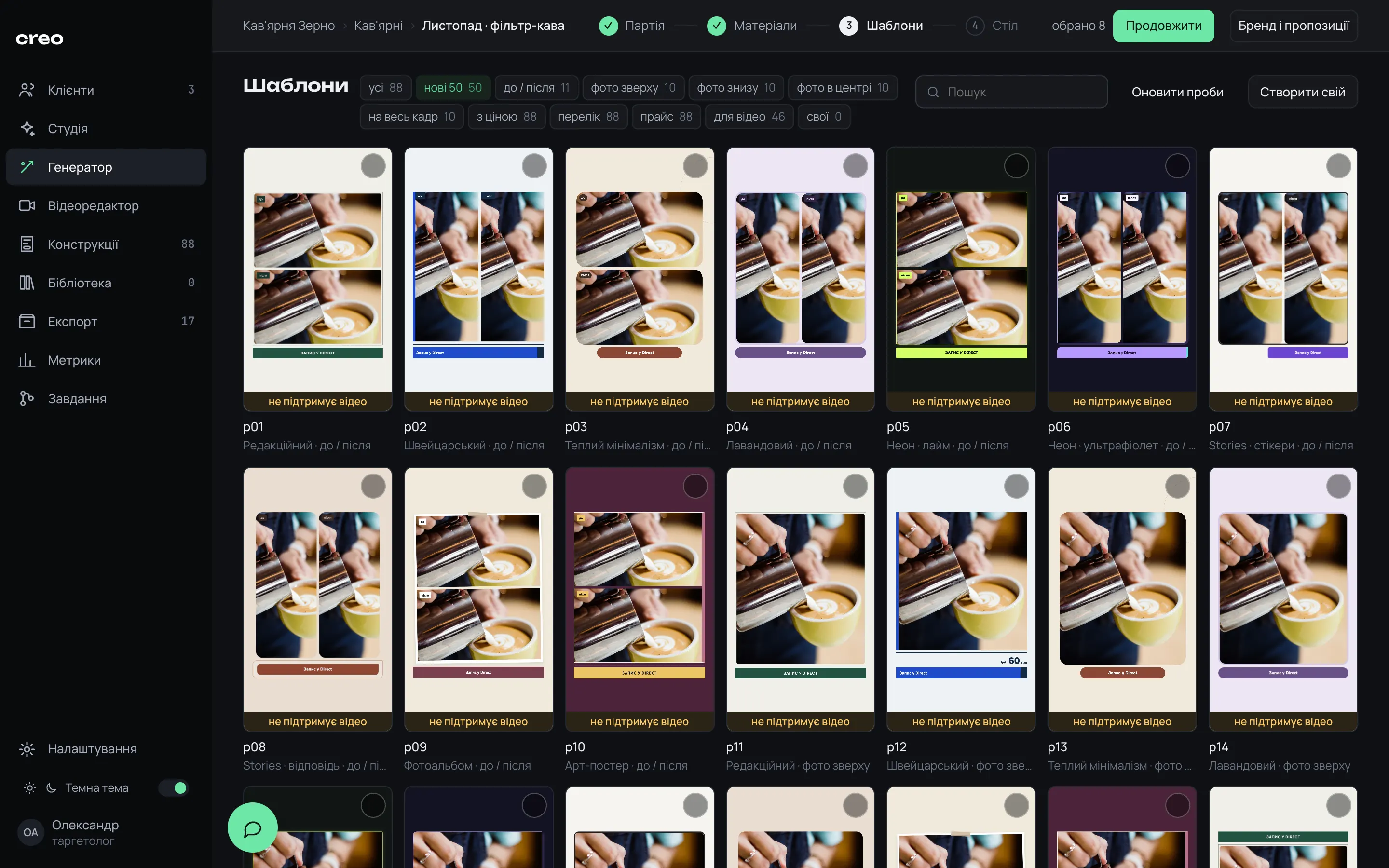
  • A collection of 50 new ones: 10 styles × 5 compositions, from before/after to full-bleed photo
  • 46 layouts take video; the rest are flagged “no video support” rather than hidden
  • Build your own from blocks or upload HTML — it goes through safe-zone and contrast checks
creo · templates
Templates step: before/after and photo-on-top layouts drawn on a coffee shop photo

Copy and preview

Headline and subheadline travel together

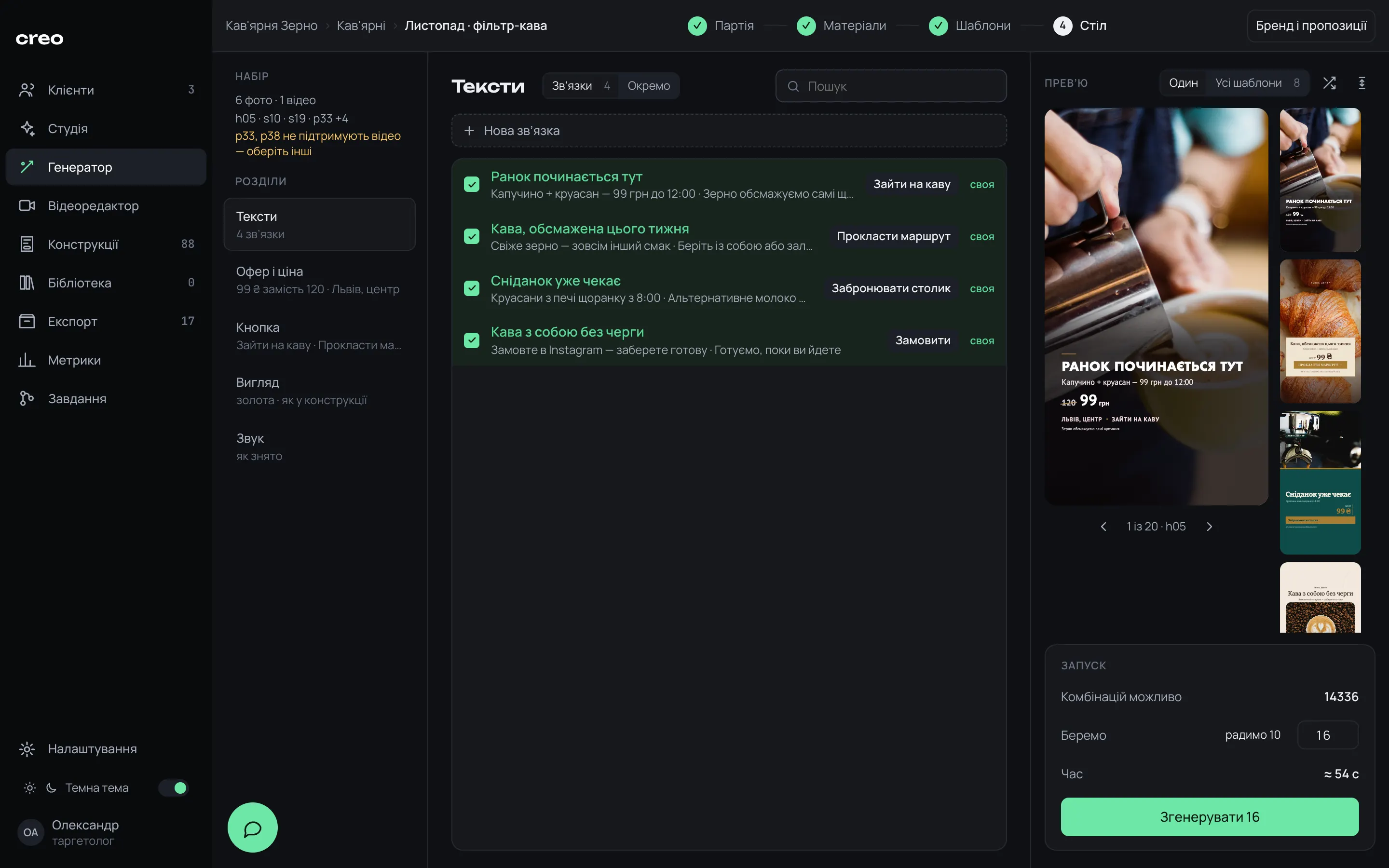
Copy is picked in bundles: headline, subheadline, line above the button and CTA. A bundle never splits across the batch, so a subheadline from one offer won’t end up under another offer’s headline.

  • 10 slots: location, headline, subheadline, bullets, deadline, old and new price, price list, line above the button, button
  • Combinations are spread out: every photo and every layout shows up, copy rotates
  • One large preview with a strip of the whole batch, or the same copy on every layout
creo · generator
Desk step: four copy bundles, large preview, combination strip and launch panel

Pre-launch check

Catch the mistake before rendering, not after ad review

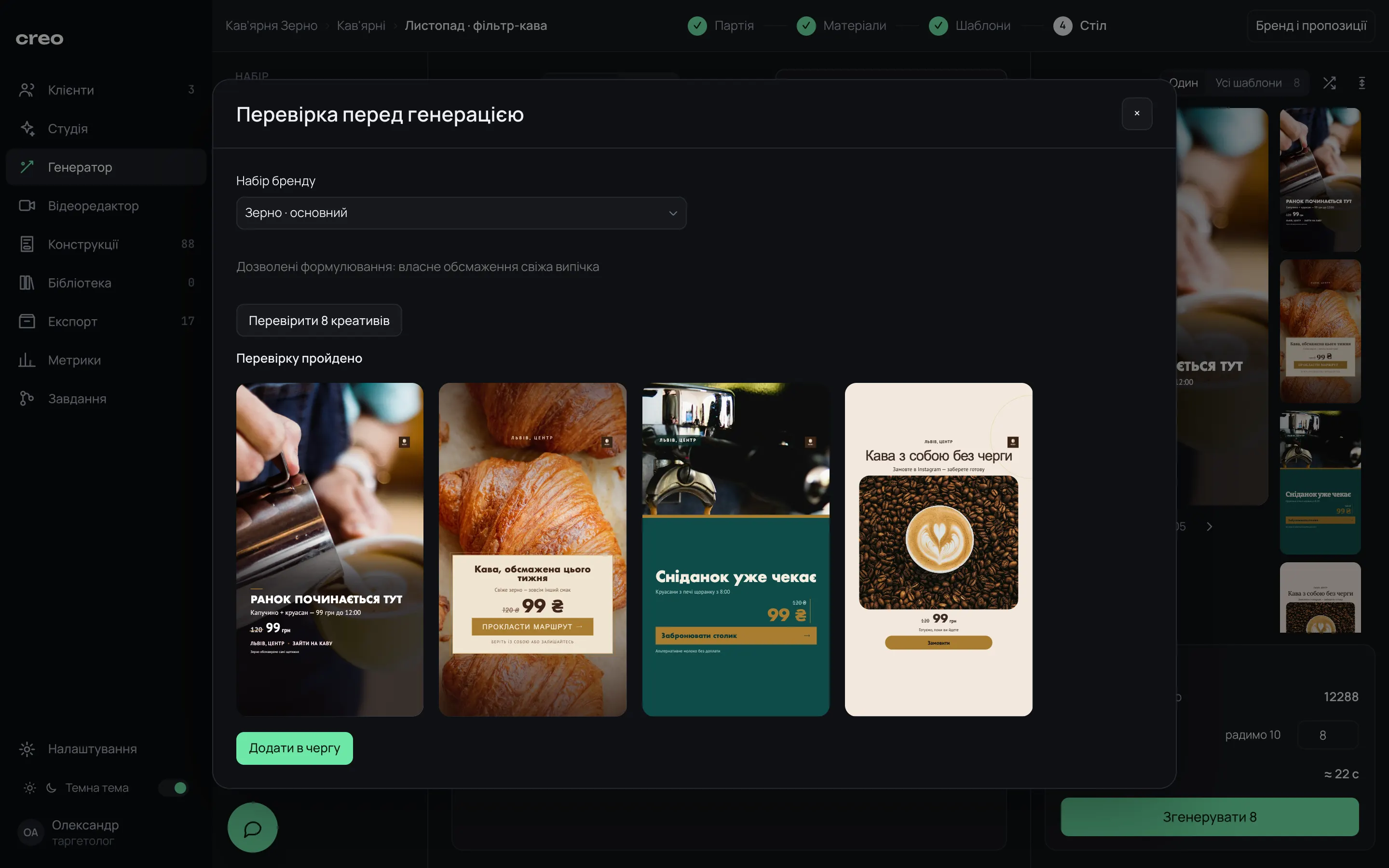
Before queuing, Creo checks the actual cards of the batch: footage, the before/after pair, banned words and whether text spills out of the safe zone. Text placement is measured in Chrome on the real photo.

  • Errors block the launch: a banned phrase, text outside the 300–1560 px zone, a layout without video support
  • Warnings leave the call to you: a repeated combination, an empty CTA
  • Readability after color changes isn’t checked automatically — that still takes your eye
creo · batch check
“Pre-generation check” dialog: check passed and four verified creatives

Export and tests

The next test changes exactly one thing

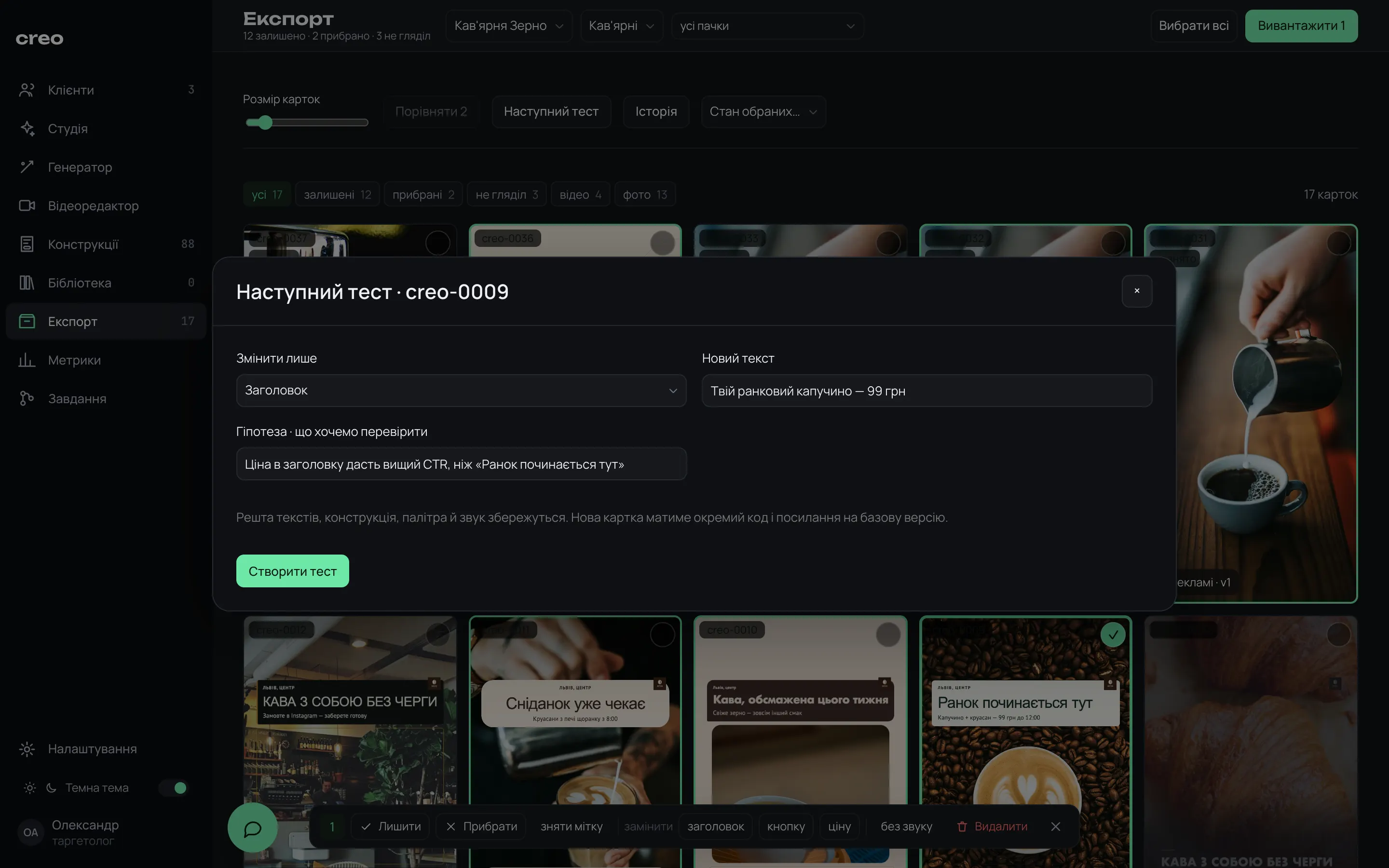
In Export you pick cards, compare two side by side, bulk-change the headline, button or price, and download a ZIP. “Next test” changes only the headline, CTA or photo, asks for a hypothesis and creates a new card linked to the baseline.

  • Statuses: draft, approved, exported, live, archived
  • “Live” freezes the running version; edits go to a new card
  • A creo-XXXX code is never issued twice, even after a card is deleted
creo · export
“Next test” dialog: change only the headline, new copy and a hypothesis

Video

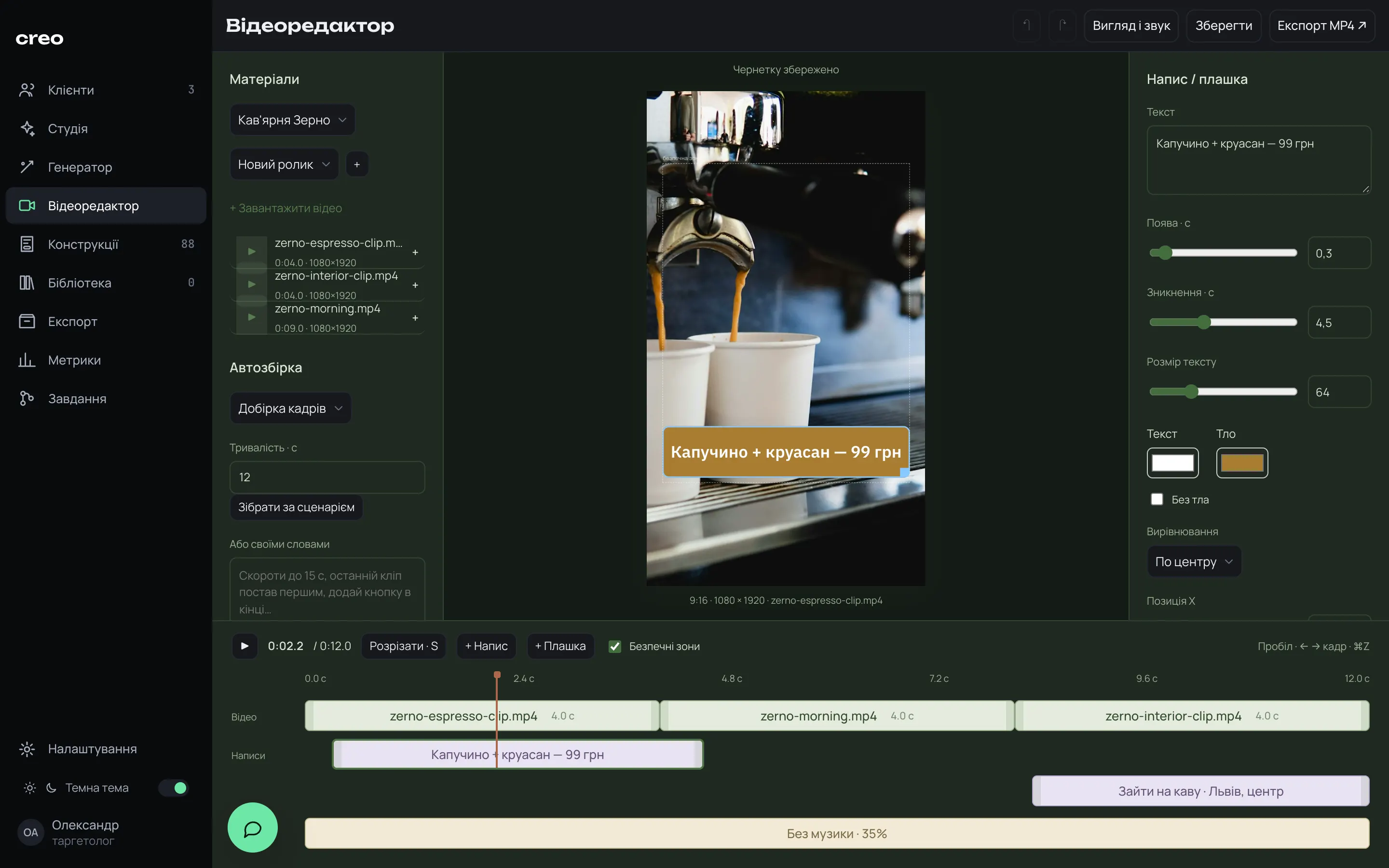
A short video from the client’s clips, right inside Creo

Clips on a timeline, trimming, speed, framing, captions and panels with exact in and out times. Scenario auto-assembly fits the clips into a target length: “Offer → demo → booking”, “Process → result” and more.

  • MP4 export at 1080×1920, 30 fps, in the background with progress
  • Reels safe zones on the preview, draft autosave
  • The scenario arranges clips by order and timing; it doesn’t understand what’s in the frames
creo · video editor
Video editor: three clips on the timeline, a “Cappuccino + croissant — 99 UAH” panel in frame

Meta Ads reports

The Ads Manager report finds its own creatives

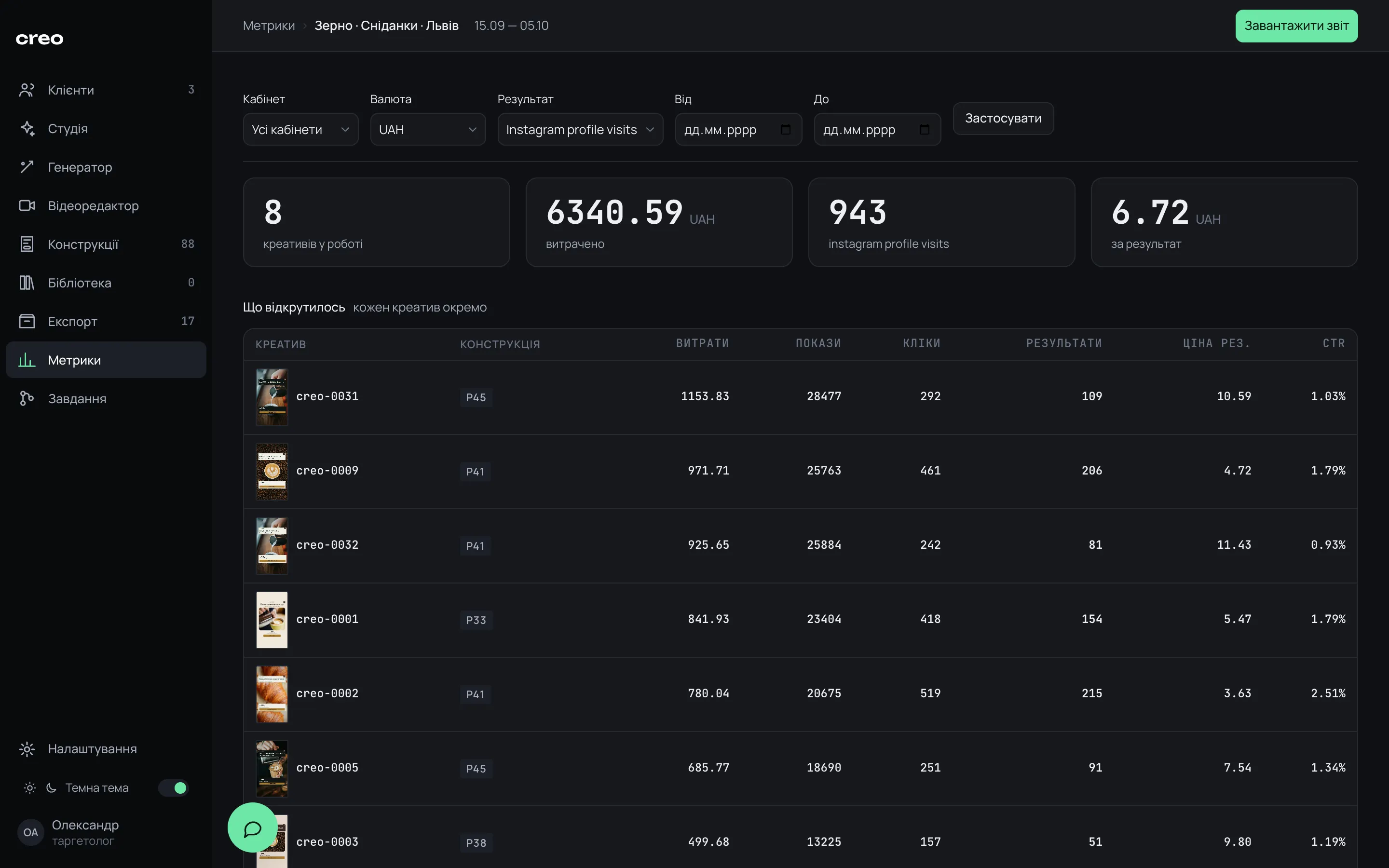
Export a CSV or XLSX from Ads Manager and upload it to Creo. The creo-XXXX code in the ad name ties each row to its creative: thumbnail, layout, spend, CTR and cost per result side by side.

  • Each campaign is its own test: totals and takeaways are calculated within it
  • By layout: spend and results are summed first, then divided — no averaging of averages
  • Video views at 25/50/75/100 %; rows without a code don’t vanish, they land in “Unmatched”
creo · metrics
Coffee shop campaign metrics: spend, results, cost per result and a creatives table with thumbnails

Details

Things that save time between tests

01

The queue survives a restart

The batch renders in the background, so you can close the tab. After a crash, generation resumes from the last finished card, with no duplicates.

02

Before/after with explicit order

11 layouts for two photos. You set which photo is “before” and which is “after” explicitly before the check.

03

Card editor

Layer tree, font size, color, shadow, the panel behind text. “Apply to batch” copies the look to every card, and “Undo” rolls it back.

04

Bulk edits

Swap the headline, button or price on all selected cards, and they re-render without a new batch.

05

Full backup

One ZIP with the database, media, versions and checksums. Access keys stay out of the archive.

06

Voice and tasks

Dictate phrases or ask for a batch in plain words. This needs your own Whisper key (Groq or OpenAI) and Claude or Codex CLI.

Who it’s for

When you need lots of creatives on real photos

Media buyers for local businesses

Beauty, healthcare, coffee shops: where the creative has to show the real work, not a stock image.

Weekly testers

You need 10–20 variations per test, and then to see which layout delivered the cheaper result.

Clients with several service lines

Prices, footage and copy are split by service line: a Botox creative won’t pick up the lip filler price.

Numbers and limits

What Creo does, and what it doesn’t

Where it runs
Locally on a Mac, in the browser. The server listens on 127.0.0.1 only — no cloud, no accounts
Format
1080×1920 only: JPG for photos, MP4 for video. No other sizes
What it does to photos
Generates nothing and redraws nothing. The client’s photo stays as is, graphics go on top
Batch
1 to 60 cards; the UI suggests 10
Ad account
No API. You upload creatives yourself and export the CSV/XLSX report from Ads Manager by hand
Requirements
Python 3.11+, Pillow, Google Chrome; FFmpeg for video
AI features
Tasks, Studio and “in your own words” video editing via Claude or Codex CLI; voice via your own Groq or OpenAI key
Data
SQLite and media on your disk. A full ZIP backup from settings

FAQ

Questions

Does Creo generate photos with AI?

No. It only works with the client’s real photos and videos and puts layout graphics on top. No client footage, no creative.

What formats does it output?

One canvas, 1080×1920: JPG for photos, MP4 for video. No square, 4:5 or 16:9. Text sits inside the safe zone, so when Meta crops to 4:5 in the feed, it only cuts photo above and below it.

Does it upload creatives to Ads Manager?

No, there’s no ad account API. You download the ZIP, upload the creatives yourself and keep the creo-XXXX code in the ad name. The report is also exported from Ads Manager and uploaded to Creo as a file.

How fast is a batch?

Every card is rendered by headless Chrome and checked before it’s published. On a MacBook, 12 photo creatives are ready in about 4.4 min after queuing. The first previews of all 88 layouts for a new photo take about 15 min, then they come from cache.

Does AI write the copy?

No. You write it: in bundles or slot by slot. Creo spreads it across cards, fills in price and location from the brief and checks for banned phrases.

Can I add my own templates?

Yes. Build a layout from blocks or upload ready HTML: it goes through rule, safe-zone and contrast checks on a real photo. Built-in layouts can be edited and reset to factory later.

Where are client photos stored?

On your Mac. The generator, rendering, export and metrics all run locally. AI features, if you connect them, go through your own Claude or Codex CLI.

Let me show you how a batch comes together from your client’s photos

We’ll go from footage to the Meta Ads report and see whether Creo fits your workflow. Happy to answer questions on Telegram.

Discuss on Telegram